



Slot request bot for Twitch chat
Viewers love to pick the next slot, and you do not want to scroll through chat to find the suggestions. With the !sr bot every request lands in one queue and in a live widget on your stream.
How a request works
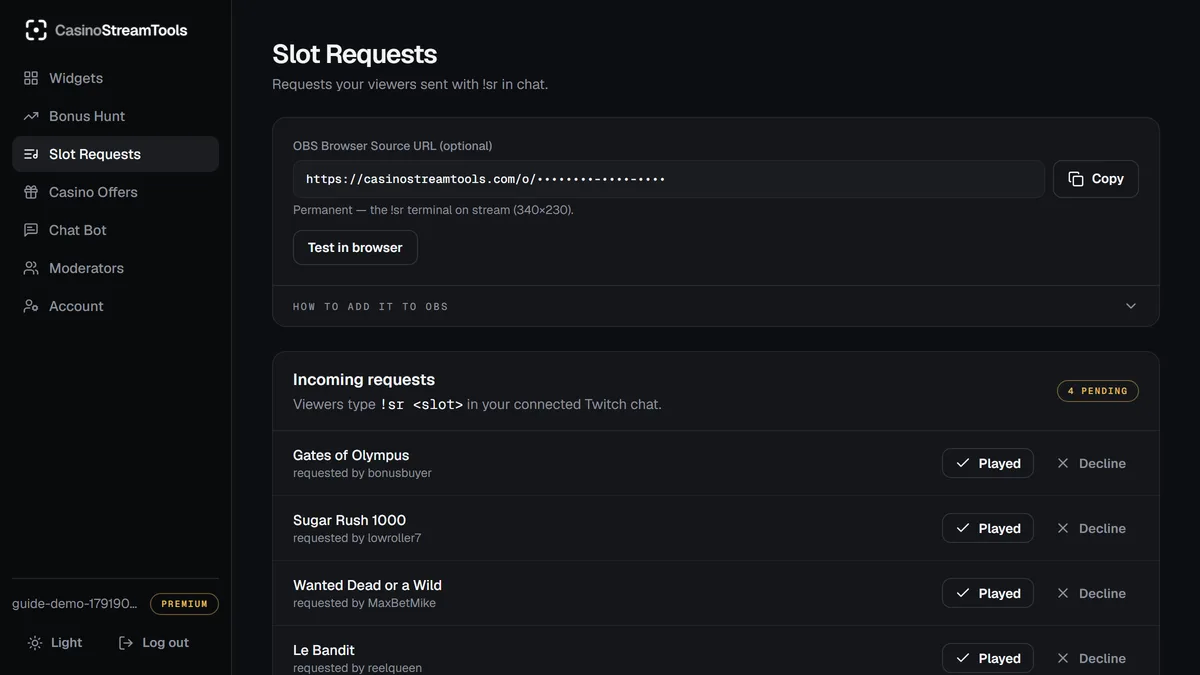
A viewer types !sr followed by the name of a slot in your Twitch chat, for example !sr Sweet Bonanza. The bot reads it and the request appears within seconds in the Slot Requests tab of your dashboard and on the overlay. When you play a slot you mark it as played, or you decline a request you do not want. Played requests move out of the pending list and show as picked on the overlay.
The widget on stream
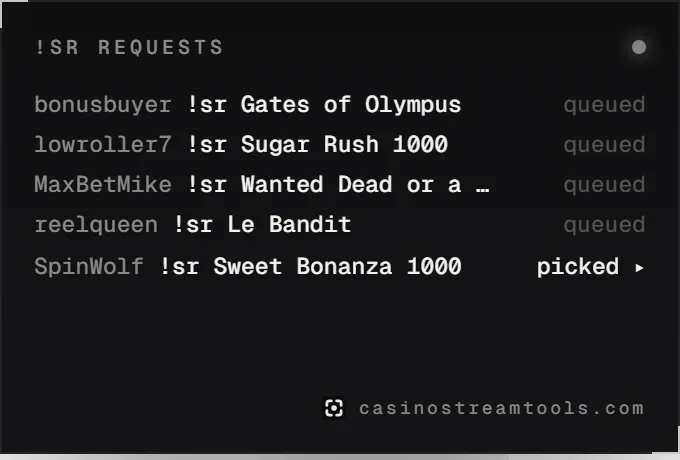
The !sr overlay is a small terminal-style list: every new request is typed in line by line with the viewer name and the slot. It is transparent, scales to any source size and is free on every plan. The recommended size is 340 × 230.
Set it up
- Create a free account and open the Chat Bot tab in the dashboard.
- Press Connect Twitch and approve the request. The connection needs no chat permissions: the bot only reads your public chat.
- Open the Widgets tab, copy the !sr OBS URL and add it as a Browser source (340 × 230).
- Tell your chat to use !sr and the name of the slot.
You can invite moderators by email so they can mark requests as played or declined while you focus on the game. Kick chat support is coming soon; today the bot works on Twitch.
What the bot stores
The bot does not keep your chat. It only keeps messages that start with !sr, together with the viewer display name, the requested slot and the time, so the request can appear in your queue. You can delete your account at any time and everything goes with it. The details are in the privacy policy.
Frequently asked questions
Is the slot request bot free?
Yes, the !sr bot, the queue and the widget are free on every plan with no time limit.
Does it work on Kick?
Not yet. Kick chat support is coming soon. Today the !sr bot works on Twitch.
Do I have to host or run the bot myself?
No. After you connect your Twitch channel the bot joins your chat by itself. There is nothing to install or keep running.
What does the connection to Twitch allow?
It asks for no chat permissions. The bot reads public chat and only stores messages that start with !sr.
Can my moderators manage the queue?
Yes. Invite them by email from the dashboard and they can mark requests as played or declined for your account.